Introduction to PromptChainer
PromptChainer is an AI based tool for generating a chain of prompts, allowing users to generate a series of prompts around a task.
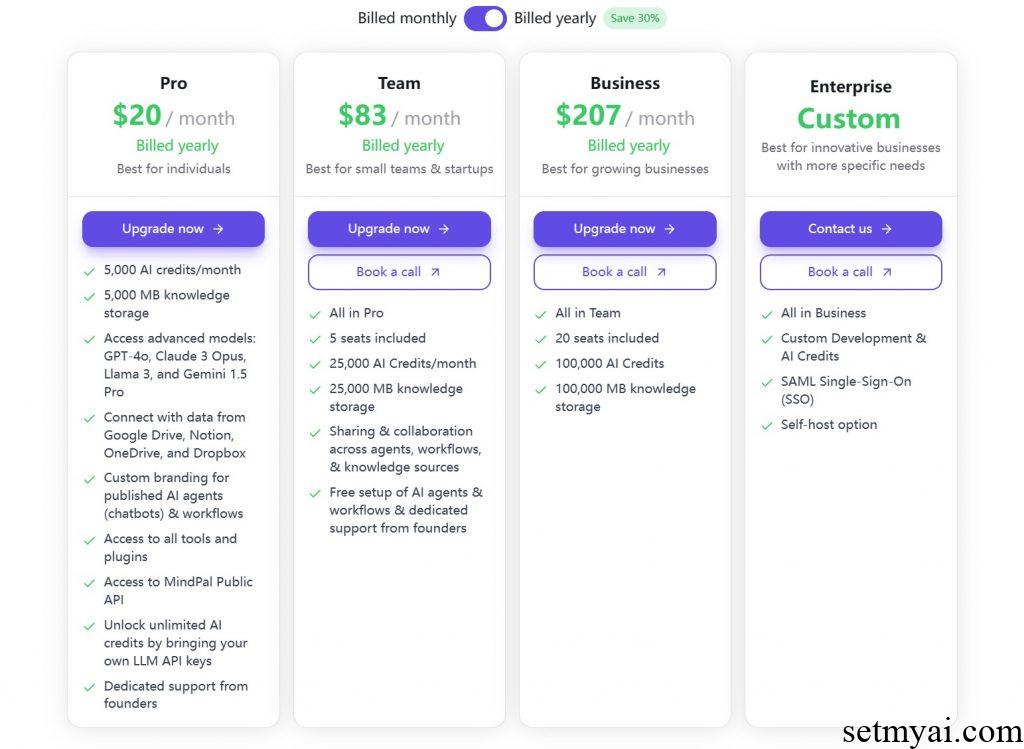
PromptChainer offers both free and paid versions, with the paid version being able to use more AI models and connect to users’ databases.
Related Post: AI Prompt Randomizer Generating Random Prompts
How to Use PromptChainer
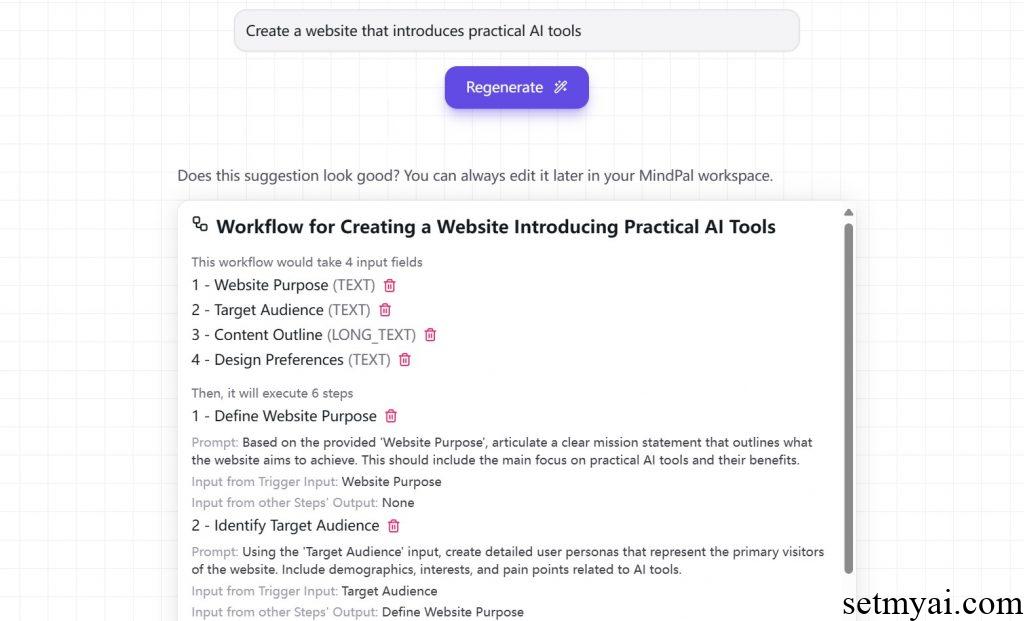
We use PromptChainer to generate a chain of prompts to create an artificial intelligence website (similar to SetMyAI). The results provided by PromptChainer are as follows:
Workflow for Creating a Website Introducing Practical AI Tools
This workflow would take 4 input fields
1 – Website Purpose (TEXT)
2 – Target Audience (TEXT)
3 – Content Outline (LONG_TEXT)
4 – Design Preferences (TEXT)
Then, it will execute 6 steps
1 – Define Website Purpose
Prompt: Based on the provided ‘Website Purpose’, articulate a clear mission statement that outlines what the website aims to achieve. This should include the main focus on practical AI tools and their benefits.
Input from Trigger Input: Website Purpose
Input from other Steps’ Output: None
2 – Identify Target Audience
Prompt: Using the ‘Target Audience’ input, create detailed user personas that represent the primary visitors of the website. Include demographics, interests, and pain points related to AI tools.
Input from Trigger Input: Target Audience
Input from other Steps’ Output: Define Website Purpose
3 – Develop Content Outline
Prompt: Based on the ‘Content Outline’ provided, create a structured outline that includes main sections, sub-sections, and key points to cover for each AI tool. Ensure that the content is informative and engaging.
Input from Trigger Input: Content Outline
Input from other Steps’ Output: Identify Target Audience
4 – Design Website Layout
Prompt: Using the ‘Design Preferences’ input, create a wireframe for the website layout that includes the homepage, tool sections, and any additional pages. Ensure the design is intuitive and aligns with the target audience’s preferences.
Input from Trigger Input: Design Preferences
Input from other Steps’ Output: Develop Content Outline
5 – Build the Website
Prompt: Using the wireframe and content outline, build the website using a suitable CMS or framework. Ensure that all links work, the design is responsive, and the content is properly formatted.
Input from Trigger Input: None
Input from other Steps’ Output: Design Website Layout
6 – Test and Launch the Website
Prompt: Conduct thorough testing of the website across different devices and browsers. Check for broken links, loading speed, and overall user experience. Once testing is complete, launch the website.
Input from Trigger Input: None
Input from other Steps’ Output: Build the Website
PromptChainer first divides website creation into four parts: purpose, target audience, overview, and design, and divides it into six different steps, each containing specific Prompts. We can use these Prompts for AI models to obtain detailed AI plans.
Summary
As an AI based tool for generating prompt chains, PromptChainer is capable of producing high-quality prompts. We suggest that users try using this tool.
Website: